# Window Title Reborn - for KDE Plasma 6.6+
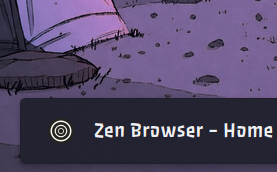
A clean, customizable KDE Plasma panel widget that shows the active window's title and icon.
See it on the KDE Store: https://store.kde.org/p/2350022
## Features
- **Shows the active window's title and icon** with rich text and HTML substitution support
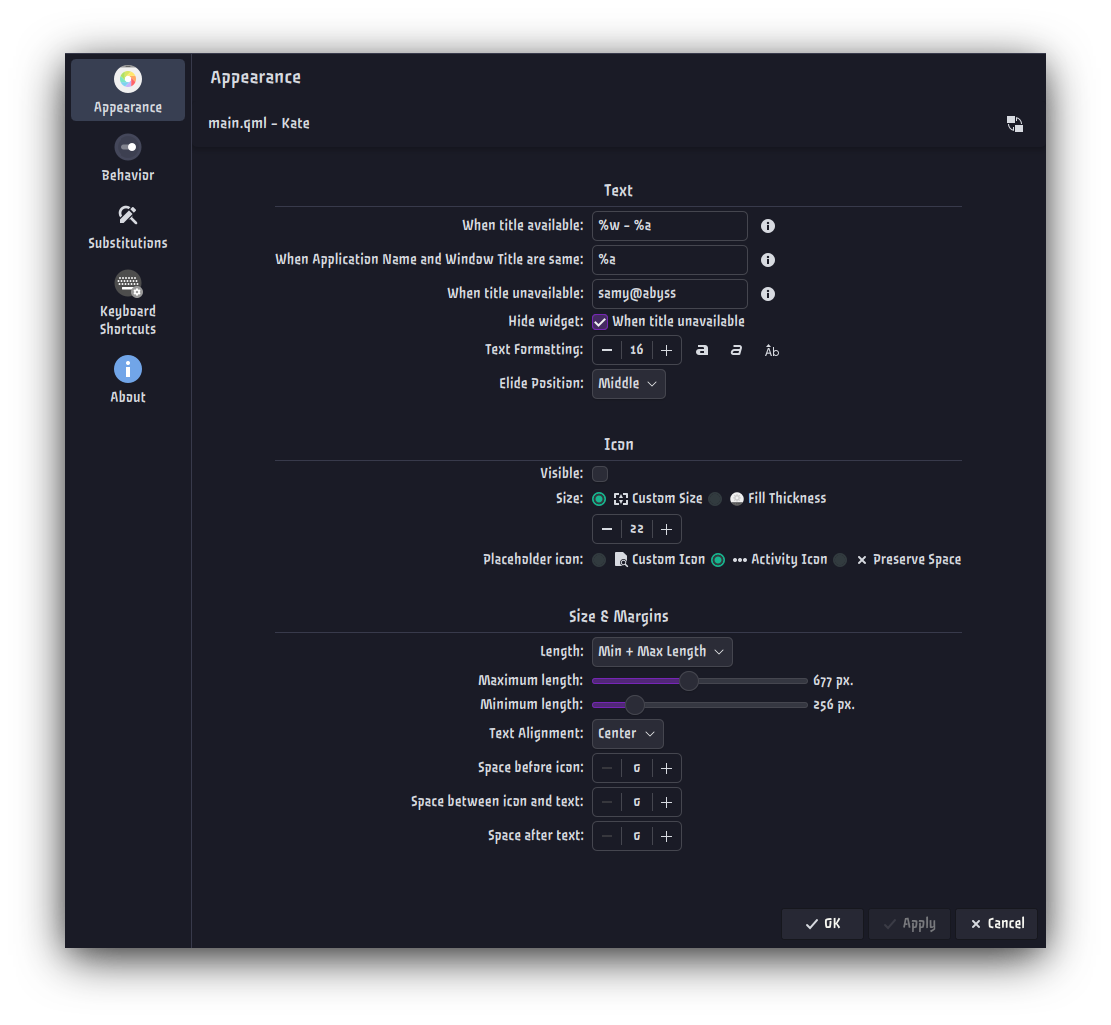
- **5 widget length modes**: Contents, Fixed, Maximum, Minimum, and Min + Max
- **Horizontal text alignment** and **hide when unavailable** options
- **Configurable appearance**: Font formatting, spacing, and icon choices
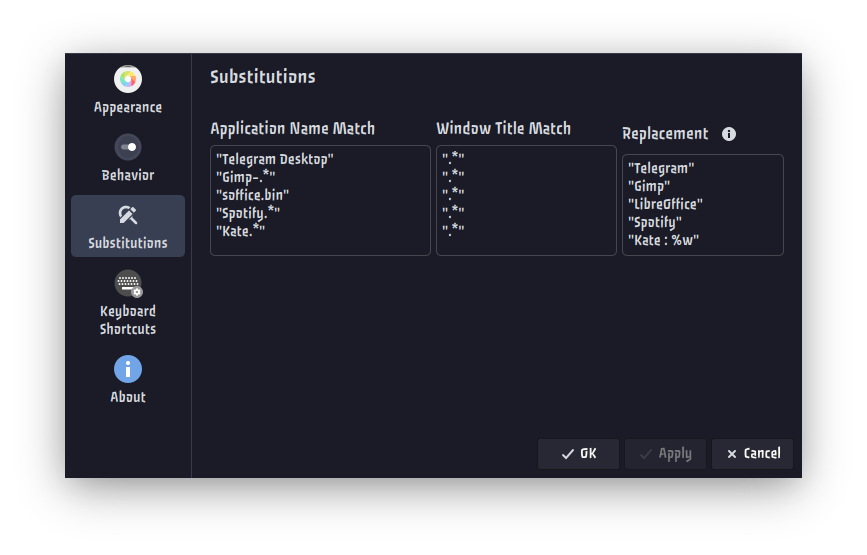
- **App name substitutions** via customizable regex matching
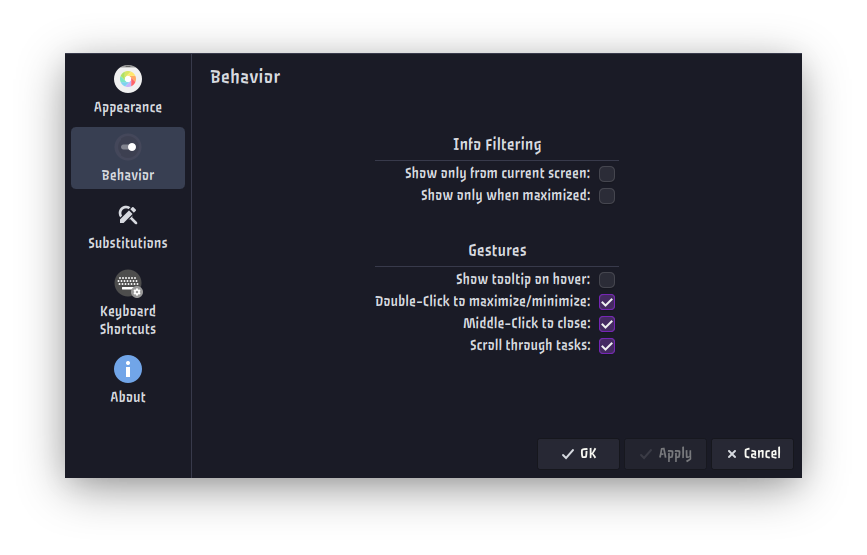
- **Behavior options**: Show on maximize only, scroll tasks, middle-click close, and double-click maximize/minimize
## Screenshots
## Requirements
- KDE Plasma 6.6+
- KDE Frameworks 6
- Qt 6.x
## Installation
### Option 1: Install from Plasma widgets (recommended)
1. Open panel edit mode and choose **Add/Manage Widgets**.
2. Click **Get New…** → **Download New Plasma Widgets**.
3. Search for **"Window Title Reborn"**.
4. Click **Install** and add the widget to your panel.
### Option 2: Install from KDE Store download
1. Go to https://store.kde.org/p/2350022
2. Open the **Files** tab and download the *Window Title Reborn* `.plasmoid` file (if applicable).
3. In Plasma, open **Add/Manage Widgets** → **Get New…** → **Install Widget From Local File**.
4. Select the downloaded `.plasmoid` file and complete the installation.
### Option 3: Install from source with kpackagetool6
```bash
git clone https://github.com/ShrekBytes/window-title-reborn.git
cd window-title-reborn
kpackagetool6 -t Plasma/Applet -i .
```
Restart plasmashell:
```bash
systemctl --user restart plasma-plasmashell
```
or log out and log back in.
### Upgrading an existing kpackagetool6 installation
From inside the project directory:
```bash
kpackagetool6 -t Plasma/Applet -u .
```
Then restart plasmashell again:
```bash
systemctl --user restart plasma-plasmashell
```
or log out and log back in.
### Uninstalling existing kpackagetool6 installation
```bash
kpackagetool6 -t Plasma/Applet -r org.kde.plasma.windowtitlereborn
```
## Text Substitutions
| Substitution | Replaced With |
|:------------:|----------------------|
| `%a` | Application Name |
| `%w` | Window Title |
| `%q` | Activity Name |
| `…` | Bold text |
| `…` | Italic text |
| `
` / `` | New line |
## Acknowledgements
- Based on [plasma6-window-title-applet](https://github.com/dhruv8sh/plasma6-window-title-applet) by **Dhruvesh Surolia**
- [applet-window-title](https://github.com/psifidotos/applet-window-title) by **Psifidotos**
## License
Licensed under the [**GNU General Public License v3.0**](LICENSE)